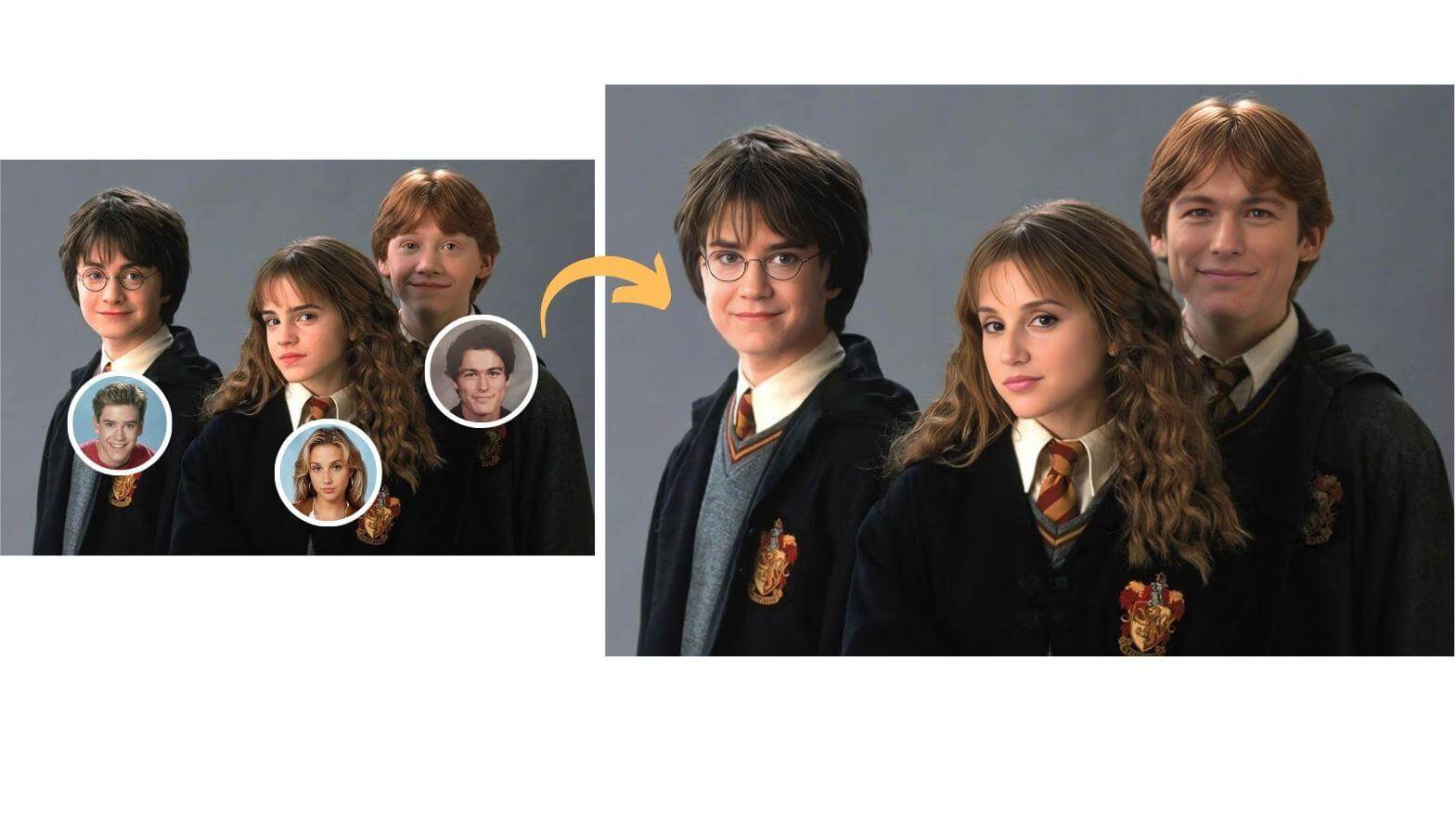
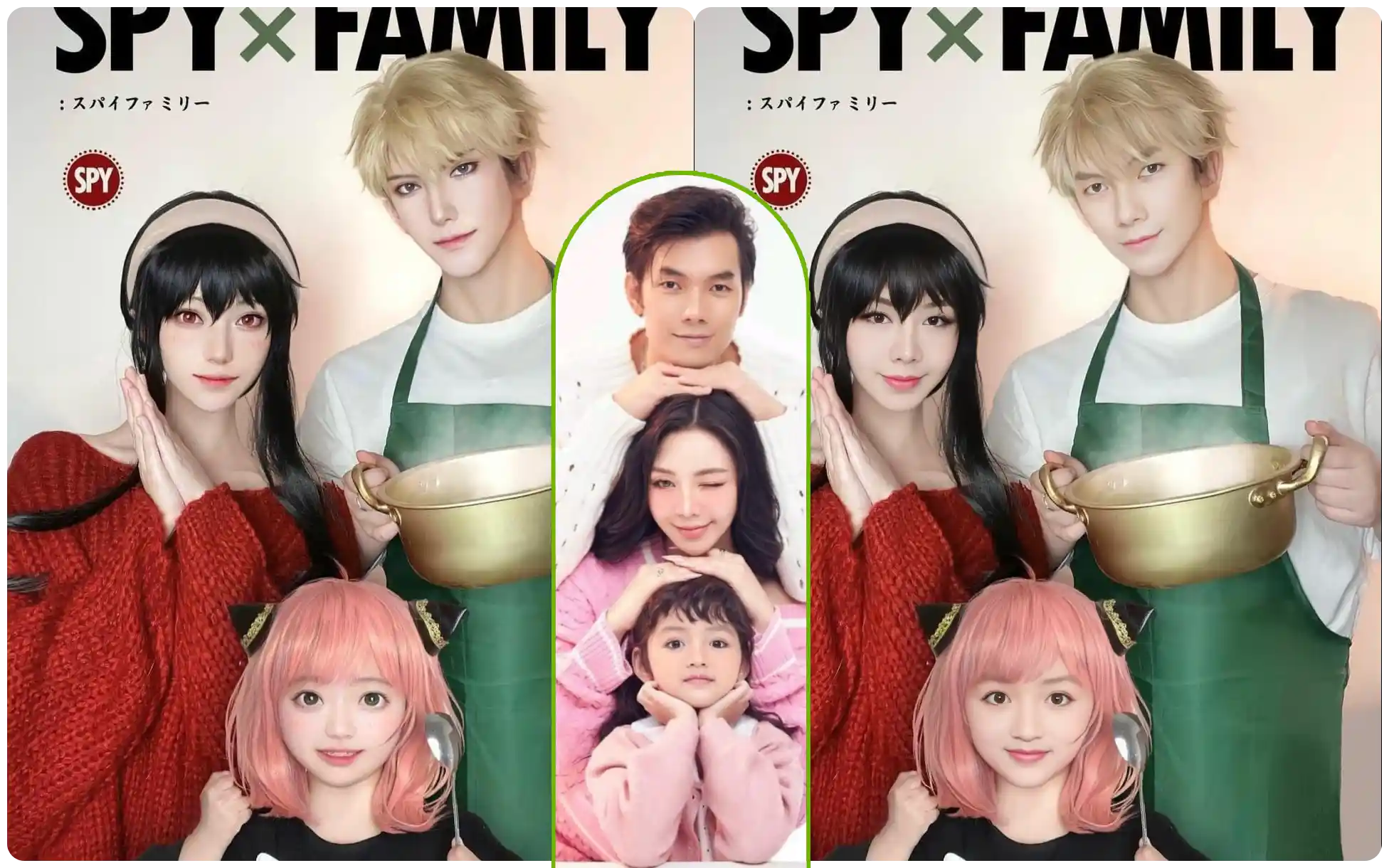
In party photos, movie posters, or team pictures, replacing one or even all faces used to require individual, precise cutout, color grading, and compositing for each face—a massive workload prone to lighting inconsistencies and "fake" looking results. The AI Multi-Face Swap tool was born to solve this. It intelligently identifies multiple figures in an image, supporting batch or designated replacements, making complex group portrait editing simple and efficient.
What is AI Multi-Face Swap?
Group Technology Breaking Single-Person Limits
Unlike single-face swapping, multi-face technology faces far more complex challenges: it must simultaneously detect and accurately distinguish multiple faces of varying angles and sizes within an image. Our online multi-face swap engine can independently index each person in a group photo, giving you "God-mode" editing authority.
Intelligent Lighting & Expression Synchronization
When editing photos with three or more people, manual retouching struggles to maintain consistent skin tone and environmental lighting for everyone. AI Multi-Face Swap uses global illumination analysis to ensure every replaced face matches the overall environmental light of the original photo. At the same time, it preserves the original subject's micro-expressions (like laughing or surprise) and gaze direction, avoiding the "uncanny valley" effect and keeping the group photo vivid and natural.
Core Features & Gameplay
Flexible Replacement Strategies
-
One-to-Many: Upload one target face and instantly turn everyone in the group photo into the same person. This "clone army" effect is perfect for creating hilarious party prank images.
-
Many-to-Many: Assign different new faces to different roles in the group photo. For example, swap a family's faces onto characters in a movie poster for precise role-playing.
Full-Image Intelligent Face Detection
Whether it's clear faces in the front row or smaller, side-profile faces in the back, the group photo editor software can capture and locate them with high precision. It supports identifying dozens of faces in a single image, meeting the needs of large group photos.
Common Use Cases
Party Pranks & Team Building Content
After a friends' gathering, company retreat, or family dinner, swap everyone's face in the group photo with the "birthday person" or "boss" to create side-splitting fun images that instantly ignite social media conversations.
Classic Movie Poster Creative Recreations
Replace the characters in classic ensemble posters like "The Avengers" or "Friends" with the faces of you and your friends, quickly creating creative posters for your team for event promotion or commemoration.
Advertising & Commercial Photography Adjustments
In multi-person ad shoots, if one model's expression is poor, there's no need for a full reshoot. Using the group photo editor function, just locally replace that model's face to salvage the shot, significantly reducing production costs.
Fan Support & Fan Art Creation
Integrate an idol's face into specific group scenes, or create "dream collab" group photos of multiple idols, satisfying fan communities' creative needs for cross-time-and-space interactions.
Frequently Asked Questions (FAQ)
Q1: What is the maximum number of faces a single image supports for swapping?
Our algorithm has been deeply optimized to handle complex group photos containing 10 or more people. As long as the faces are clearly distinguishable in the image (not extremely blurry or facing away), they can usually be successfully identified and replaced.
Q2: Can I swap only one specific person in a group photo?
Absolutely. After the system identifies all faces, you can click to select a specific person for replacement while keeping everyone else's faces untouched. This is very useful for fixing a closed eye or a bad expression on one person in a group shot.
Q3: Can side profiles or occluded faces be swapped?
For slight side profiles (within 45 degrees) or minor occlusions (like sparse bangs or transparent glasses), the AI maintains a good effect. However, for full side profiles (90 degrees) or large area occlusions (like masks), the recognition rate and blending effect may be affected to some extent.
Q4: Does processing a multi-face swap take a long time?
Although the computational load is heavier than single-face swapping, thanks to our powerful cloud computing capabilities, analyzing and replacing a multi-person group photo typically takes only a few seconds to twenty seconds, without requiring long waits.